
Add A to Z Sports as your preferred source for Ohio State Buckeyes coverage on Google
How to add A to Z Sports for all of your Ohio State Buckeyes coverage on Google.



Google’s “Preferred Sources” feature allows you, as a user, to select specific news outlets that you want to see more of in your Google Search results. These will appear particularly in Google’s “Top Stories” section for given search queries. You are likely a fan of the Ohio State Buckeyes if you are reading this, so you will want to be sure to add A to Z Sports to get the absolute best Ohio State news, analysis, and information from Brandon Little and the team.
The steps to add A to Z Sports’ Buckeyes coverage as a “Preferred Source” are very simple.

Step 1: Click on the button above.
Step 2: Check the box next to A to Z Sports.
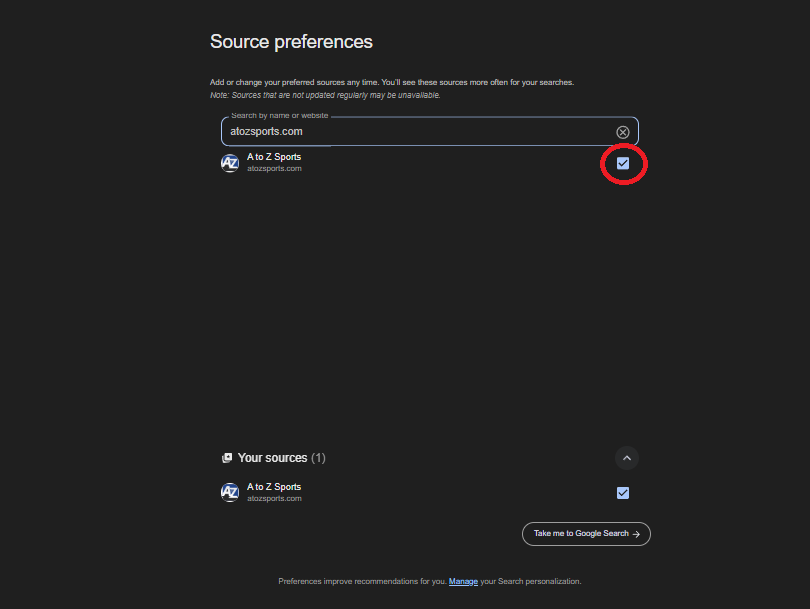
That’s it, that’s all you need to do. After checking the box, your search results will include our content more frequently or in a dedicated “From Your Sources” section when you search for the Buckeyes on Google.
